
Sources
A source is the host Gitea Mirror pulls repositories from. Each account can connect several sources at once, managed as a list in the first card on the Connections tab of the Configuration page.
| Source | Covers | Default instance |
|---|---|---|
| GitHub | github.com and GitHub Enterprise | https://github.com |
| GitLab (beta) | gitlab.com and self-hosted GitLab | https://gitlab.com |
| Gitea / Forgejo (beta) | Codeberg and any self-hosted Gitea or Forgejo | https://codeberg.org |
GitHub to Gitea is the supported path. GitLab and Gitea / Forgejo carry a BETA pill in the dropdown: they are tested end to end against real hosts, but have had less time in the field. Sources other than GitHub also carry a short note under the dropdown saying what they cannot mirror.
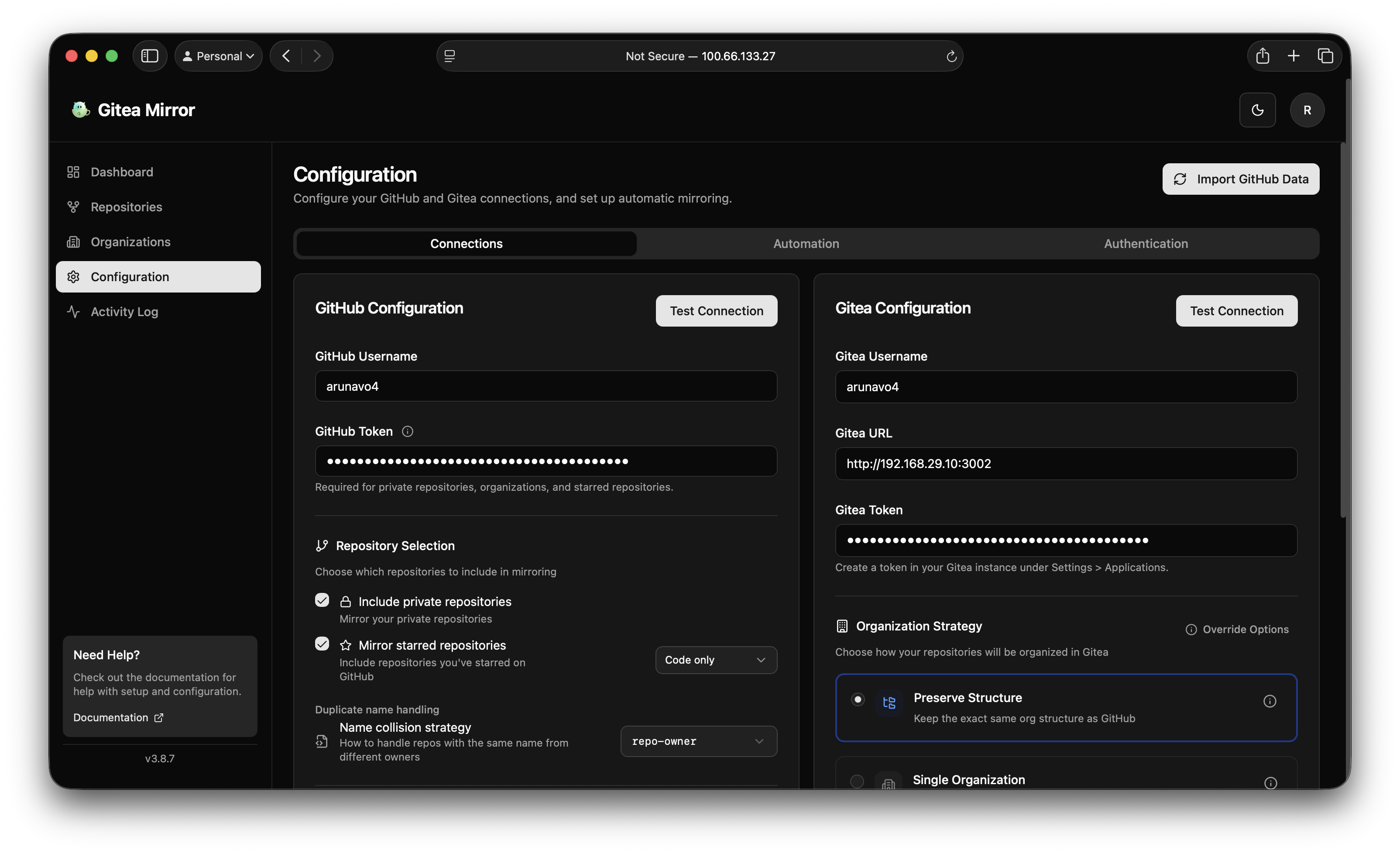
Choosing a source
Pick the host in the dropdown. The rest of the card adapts to it:
- Instance URL appears for GitLab and Gitea / Forgejo. Leave it empty for gitlab.com or codeberg.org, or enter the base URL of your own instance, for example
https://gitlab.example.comorhttp://gitea.local:3000/gitea. Values without a scheme gethttps://added. - Username and Personal access token hold the account and token on the selected host.
- The Test button in the card header makes a live authenticated call against the selected host, so you can confirm the token before importing anything.
GitHub Enterprise Server and Enterprise Cloud with data residency are configured through the GH_API_URL environment variable rather than the Instance URL field, which only shows for the other two sources. See Environment variables.
Tokens
The card lists the scopes it needs and links to the token page of the selected instance.
| Source | Where to create the token | Scopes |
|---|---|---|
| GitHub | Settings, Developer settings, Personal access tokens (classic) | repo, admin:org |
| GitLab | Preferences, Access tokens | read_api, read_repository |
| Gitea / Forgejo | Settings, Applications | read:repository, read:user, read:organization |
Without a token, GitLab and Gitea / Forgejo only show the configured user’s public repositories and starred repositories. Adding a public repository by URL works without a token on every source.
Tokens are encrypted with AES-256-GCM before they are stored, whether they come from the form or from the environment.
What each source can mirror
The code itself is copied by the destination: Gitea and Forgejo pull from the source as a plain git remote, and the push engine used for GitHub and GitLab destinations clones and pushes the same way. Sources therefore differ only in what their API offers on top of git.
| GitHub | GitLab | Gitea / Forgejo | |
|---|---|---|---|
| Code, branches, tags | yes | yes | yes |
| Wiki | yes | yes | yes |
| LFS objects | yes | yes | yes |
| Scheduled sync | yes | yes | yes |
| Auto import of new repositories | yes | yes | yes |
| Cleanup of repositories deleted upstream | yes | yes | yes |
| Starred repositories | yes | yes | yes |
| Private repositories | yes | yes | yes |
| Add a single repository by URL | yes | yes | yes |
| Issues, pull requests, labels, milestones | yes | no | no |
| Releases with assets | yes | no | yes |
| Star lists | yes | no | no |
| Force push detection | yes | no | no |
The GitHub only rows read the GitHub API. With another source the corresponding switches in the mirror settings are disabled and say why. Releases are the exception: Gitea and Forgejo expose them through their own API, so a Gitea, Forgejo or Codeberg source mirrors releases and their assets with that instance’s token, or anonymously for a public repository. Wiki and LFS also depend on the destination: they travel to Gitea and Forgejo, not to GitHub or GitLab. See Destinations.
Adding repositories
Repositories reach the database in two ways.
Import discovers what the token can see on the source: the account’s own repositories, the organizations or groups it belongs to, and its starred repositories, filtered by the selection options on the card (private, public, archived, forks, collaborator repositories, starred). Scheduled syncing can repeat the discovery so new repositories are picked up on their own.
Add by URL takes a single repository from the Repositories page. The dialog accepts what you are likely to have on the clipboard: a browser URL, a clone URL, an SSH remote, the owner/repo shorthand, or a deep link into the repository such as a file or an issue. Nested GitLab groups are fine, so https://gitlab.com/group/subgroup/project resolves to the project in the subgroup. The Organizations page accepts a profile URL or a bare name the same way. The server re-resolves the reference against the configured source, so a URL for a different host than the configured one is refused.
Behaviour to know about
The source locks once repositories are imported. The dropdown and the Instance URL then show a lock note with the number of repositories imported from that host, and a Change button. Changing the source is still possible, but only after a confirmation that spells out what happens:
- Repositories already imported stay tied to the current source and keep syncing.
- Cleanup ignores them, and mirroring one of them again is refused until it is removed and added from the new source.
- New imports come from the new source only.
A save that tries to switch a locked source without that confirmation is refused by the API, and a SOURCE_PROVIDER or SOURCE_URL value that disagrees with a locked source is ignored on boot with a warning in the log.
Each repository remembers its host. A row imported from one host is never mirrored with another host’s token, so switching sources cannot send a token to the wrong server.
GitLab groups are flattened. A project under group/subgroup/project lands in the organization group with the preserve strategy and keeps its full path as the repository’s full name. The organization allowlist matches the top level group.
GitLab internal projects are treated as private when the mirror is created, because anonymous users cannot see them on the source either.
Repository names come from the URL path, not the display name. A GitLab project called “My Widget” with path my-widget mirrors as my-widget.
Environment variables
| Variable | Default | Description |
|---|---|---|
SOURCE_PROVIDER |
github |
github, gitlab or gitea. gitea also covers Forgejo and Codeberg. |
SOURCE_URL |
per source | Base URL of the GitLab or Gitea / Forgejo instance. Ignored for GitHub. |
GITHUB_USERNAME |
none | Username on the selected host. The name is kept for every source. |
GITHUB_TOKEN |
none | Token for the selected host, with the scopes listed above. |
GH_API_URL |
https://api.github.com |
GitHub API base URL, for GitHub Enterprise. |
A self-hosted GitLab source declared through the environment:
SOURCE_PROVIDER=gitlab
SOURCE_URL=https://gitlab.example.com
GITHUB_USERNAME=your-gitlab-username
GITHUB_TOKEN=${GITLAB_TOKEN}
The environment variables reference has the complete list, and the configuration guide explains how seeded values relate to the form.
Not yet
Issues, merge requests and releases from GitLab and Gitea sources are not mirrored.